
Mobile App Localization for India: A Practical Guide
Mobile app localization for India: how to prepare strings, plan for text expansion and Indic scripts, pick languages and test before release.
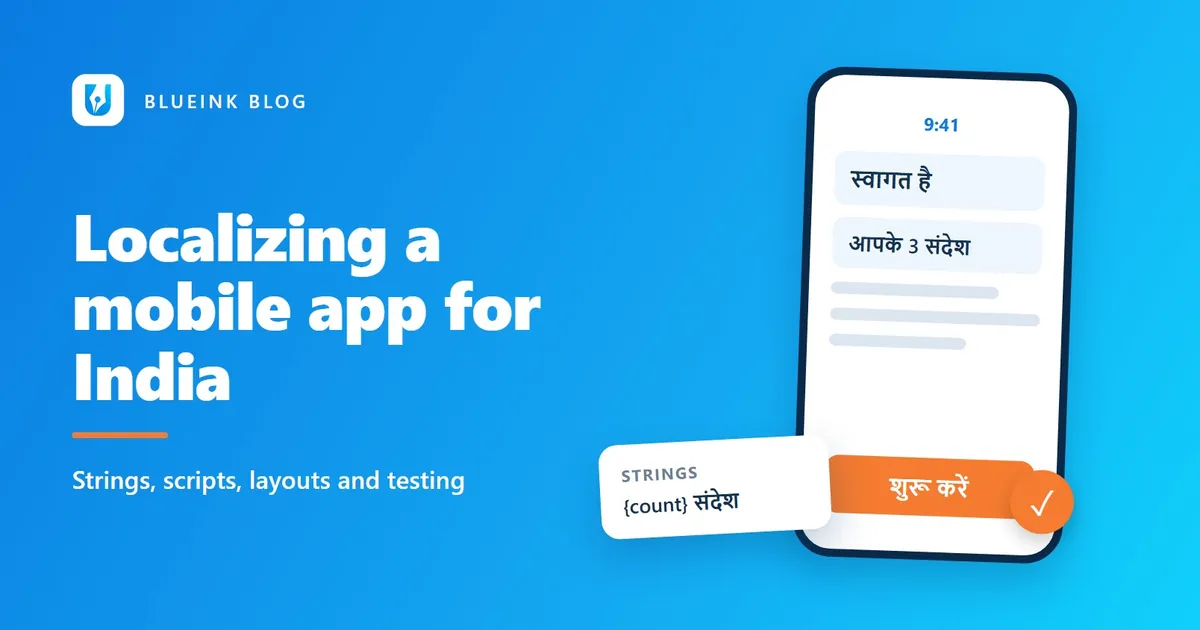
Imagine an app that launches in Hindi. Within a week, reviews arrive. The buttons are cut off, the notification says "1 items" and the screen asks for a surname that many users do not have. The translation was fine. The app was never ready to be translated.
India rewards apps that speak to people in their own language. It also exposes apps that were built for English only. This guide to mobile app localization for India walks through what to prepare, what to watch for and what to test before release.
Key Takeaways
- Start with strings: keep every piece of text out of the code so it can be translated safely.
- Layouts built for English often clip Indic scripts, so test every screen in each language.
- Choose languages by your users and goals, not by population alone.
- Test the app on real devices in each language before you release it.
Why does mobile app localization matter in India?
Most Indian internet users already read content in Indic languages. The IAMAI and Kantar Internet in India 2024 report counted 886 million active internet users in 2024. It found that 98 percent of them accessed content in Indic languages. About 57 percent of urban users preferred regional-language content. These figures were reported by the India Brand Equity Foundation in January 2025 (IBEF).
For an app, that means many of your potential users will be more comfortable in a language other than English. Our guide to localizing for India beyond Hindi explains why one language is rarely enough.
What are strings, and why do they come first?
Strings are the pieces of text inside an app: button labels, messages, menu items and alerts. Localization starts by keeping them out of the code, in separate resource files, so translators can work on the text without touching the program.
Android's developer guidance says to put most or all of an app's interface contents into resource files, and not to hardcode any strings (Android Developers). Apple's guidance points developers to string catalogs for translating text and handling plurals (Apple Developer).
Give translators context along with each string. A single word such as "Book" could mean a reservation or a novel. A short note saying where the string appears prevents wrong guesses. Avoid building sentences from pieces. "You have" plus a number plus "new messages" may work in English. Word order differs across Indian languages, so the pieces may not fit together. Write each complete sentence as one string, with a placeholder for the number.
How do plurals work across languages?
Languages count things differently, and your app has to follow. Android's guidance notes that "different languages have different rules for grammatical agreement with quantity" (Android Developers).
Here is a concrete case. Unicode's CLDR, a shared reference of language rules, shows that English uses the singular form only for 1. For Hindi, the singular category covers 0 and 1 (Unicode CLDR). An app that copies the English rule can show the wrong form for zero.
Use the plural features of your platform, and ask translators to supply every form each language needs. This small step avoids errors such as the "1 items" message.
Will Indic scripts fit your layout?
Indic scripts are the writing systems of Hindi, Tamil, Bengali and other Indian languages. They often will not fit an English layout unless you plan for them. Text length is the first issue. The W3C notes that "text will normally expand" when translated (W3C). A label that fits English in one line may need two in another language.
Height is the second. The same W3C article says scripts such as Devanagari, used for Hindi, "often require more vertical space between lines than does Latin text". A fixed line height set for English can clip the top or bottom of Indic characters.
Practical steps for your designers:
- Let text grow. Avoid fixed-width buttons and fixed-height rows.
- Check line spacing. Set heights that suit the tallest script you support.
- Confirm fonts. Make sure the font you use includes every character in each script.
- Test on small screens. Long labels and tall scripts clip first on small phones.
Apple notes that testing helps flag "clipping, truncation, layout overlapping, or issues with right-to-left formatting" (Apple Developer). Right-to-left matters if you add Urdu.
Which Indian languages should you start with?
Start with the languages your users and business goals point to. Do not pick them by population alone or by what a competitor did. Look at where your current users are, which regions you want to grow in and which languages your support team already hears.
A few ways to decide:
- Use your own data. Check the device language and location of current users.
- Match your goal. A bank app for rural customers will need different languages than a food delivery app in a metro.
- Start small and measure. Launch one or two languages well, then track installs, retention and reviews before adding more.
Doing a few languages properly is better than many badly. Hindi is a common starting point, but it is not always the right one. Tamil, Telugu, Bengali, Marathi and others may serve your users better.
Which local details does the app need to get right?
Small details decide whether an app feels local. Review these with a person who knows the market:
- Numbers and currency. Indian digit grouping puts the first comma after three digits and then every two, so one lakh (100,000) is written 1,00,000. Show the rupee symbol correctly.
- Dates and time. Many users expect the day before the month. Check how your app displays and accepts dates.
- Names. Some users have a single name, with no surname. Avoid forms that require both.
- Addresses and phone numbers. Indian addresses use a six-digit PIN code, and phone numbers start with +91.
- Tone and honorifics. Hindi has polite and informal forms of "you". A banking app and a gaming app need different ones.
- Images and examples. Photos, festivals and sample names should feel familiar to the user.
Some of these need transcreation, which means rewriting for tone and culture, not just translating. Our guide to transcreation for game localization shows how tone and humor are adapted. If your app serves financial users, see keeping financial terminology consistent.
What does a sensible rollout look like?
A staged rollout lowers risk and teaches you what works. Most teams do well with a simple sequence.
- Prepare the app. Move all text into resource files, handle plurals and let layouts grow. This step is the same for every language.
- Launch one or two languages. Choose them from your data. Test them on real devices, then release.
- Listen. Read reviews and support messages in each language. Watch retention, not just installs.
- Fix and learn. Update terms and screens that confuse users. Add the lessons to your glossary and style notes.
- Add the next language. Because the app is now prepared, each new language costs less effort than the first.
Keep a glossary from the start. It records how you name features, buttons and key terms in each language, so new text stays consistent as the app grows. When you update the app, send only the new and changed strings, with context. Have a native speaker check them in the app before they ship.
What should you test before release?
Test the app in each language, on real devices, before it goes live. Translated text that looks fine in a spreadsheet can look very different on a small screen.
A pre-release test usually checks:
- Language quality. A native speaker reads every screen in context.
- Layout. Check clipped text, overlapping elements and missing characters.
- Functions. Dates, plurals, sorting, search and keyboard input work in the language.
- Store listing. Your app name, description and screenshots are localized too.
Our linguistic and localization testing service reviews language and function with native-speaking testers. If your app delivers courses, our e-learning localization checklist lists what else to look at.
Fix issues before the release, not after the reviews arrive.
Frequently Asked Questions
What is mobile app localization?
Mobile app localization adapts an app for users in another language and region. It covers the text, layout, formats, images and store listing, so the app feels made for them. Translation is one part.
How many Indian languages should my app support at launch?
Start with the languages your users and goals point to, usually one or two. Add more once you see installs, retention and reviews. Doing fewer languages well is better than many languages poorly.
Why does my app text get cut off after translation?
Translated text is often longer, and some Indic scripts need more vertical space. Fixed-width buttons and fixed line heights then clip the text. Let layouts grow and test every screen in each language.
Do I need to localize the app store listing too?
Yes. The store page is what users see before installing, so the name, description and screenshots should match their language. Blueink's mobile app service covers the store listing too.
What should you do next?
Pick your first language based on your user data. Then ask your developers to confirm that all text is in resource files and that plurals are handled. Share the strings and a few screens, and we can scope the project with you. Blueink offers mobile app localization with quality checked in-house. To start, write to projects@blueinki.com.
Figures and guidance from IBEF, Android, Apple, Unicode and the W3C were checked against their pages when this post was written.
Further reading
- IBEF, India's internet users to exceed 900 million in 2025, driven by Indic languages, January 17, 2025
- Android Developers, Localize your app and String resources
- Apple Developer, Localization
- Unicode CLDR, Language plural rules
- W3C Internationalization, Text size in translation
Need help with mobile app localization?
Tell us about your project and we will send a free, no-obligation quote.
More from the blog
Website Localization and SEO: A 10-Point Checklist
A translated site that nobody can find helps nobody. Ten checks to make your localized website visible in search.
What Is Website Localization? How the Process Works
Website localization adapts your site's language, formats and design for each market. Learn what it covers and how the six-step process works.

Mastering the Art of Marketing Content Translation
When it comes to translating content, there are different approaches for different types of content.