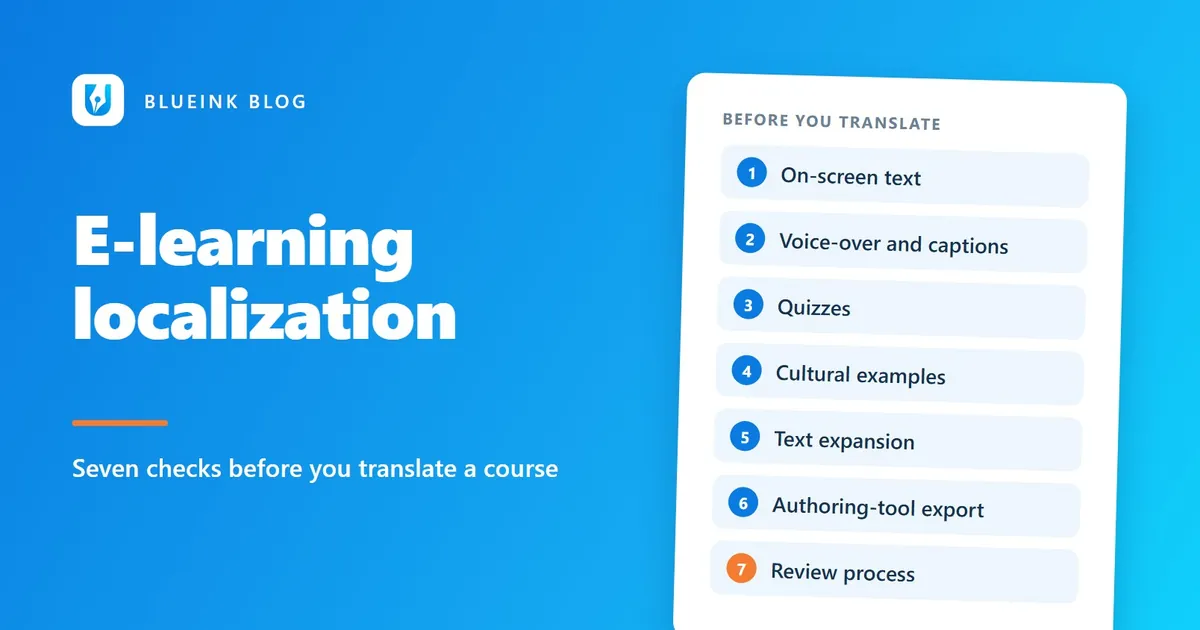
E-Learning Localization: Check These Before You Translate
E-learning localization goes wrong when a course is sent for translation too early. Check these seven things first to save time and rework.
A course is finished, approved and sent for translation. Two weeks later, the Hindi version comes back with text cut off in the buttons. The voice-over runs long, and a quiz no longer matches its answers. None of this is the translator's fault. All of it could have been caught before the files left your desk.
E-learning localization is harder than document translation because a course mixes text, audio, images, quizzes and software. This checklist covers seven things to check first, so your learners get a course that works in their language.
Key Takeaways
- Check what the course contains before you translate it. Text inside images and video is easy to miss.
- Plan voice-over and captions early, because audio timing changes when the language changes.
- Quizzes need extra care. A translated question can break its own answer.
- Test the finished course in the language, not just the translated text.
1. Where is all the on-screen text?
Start by finding every piece of text your learners will see. Menus, slides and buttons are easy to spot. Text inside images, screen recordings and animations is not.
Text that is part of a picture cannot be edited by a translator. It needs the original design file, or it must be rebuilt. Make a list of every such item before you request a quote. It affects both cost and timing.
Also look for text that appears only on some screens, such as pop-up messages, error prompts and certificates. Missing one means a mixed-language course.
2. How will the voice-over work?
Voice-over needs a script, a voice and a plan for timing. Translate the script first, then record it, then fit it to the visuals. Audio rarely lasts exactly as long in a new language, so slides and animations may need to be adjusted.
Decide early whether you need a new recording or only subtitles. Each choice affects budget and schedule. Our multimedia localization service covers subtitling, dubbing and voice-over.
Captions matter for accessibility as well. The W3C, the main web standards body, publishes accessibility guidelines called WCAG. At its basic level, WCAG 2.2 requires that "captions are provided for all prerecorded audio content in synchronized media" (W3C, Understanding SC 1.2.2). If your course has video, plan captions in each language. Transcription and subtitling can supply timed files.
3. Will the quizzes still work?
Quizzes need extra care. A question, its answer options and its feedback message all depend on each other. Translate them together, never as separate lists.
Watch for these problems:
- Answer order: "All of the above" breaks if the options are reordered.
- True or false wording: A negative sentence can flip meaning in another language.
- Feedback messages: A message that says "Correct, because of the second point above" needs the same point order.
- Scoring logic: Make sure each answer still maps to the right score.
Imagine an English question that asks, "Which of these is NOT a safe practice?" The correct answer is option C. In a translation, the negative word could easily go missing or shift. The question might then read as "Which of these is a safe practice?" The learner answers it as written. The answer key then marks them wrong. Reviewing the question with its options and feedback catches this.
Ask your translators to review each quiz as a whole. Then take it yourself, in the language.
4. Do your examples make sense to these learners?
Cultural examples are easy to miss because they look harmless. A name, a currency, a sports reference or a photo of a handshake can all feel foreign to a learner. That distance can make the training feel less relevant.
Review each example with the learner in mind. Would a sales trainee in Chennai recognize this scenario? Is the currency sign right? Does an image show a gesture that means something different locally?
Sometimes you can swap a name or figure. Sometimes a scenario needs rewriting. That is closer to transcreation, which means recreating a message so it works locally. Our guide to why transcreation beats translation for games shows the same idea in another setting.
5. Will the text still fit?
Translated text is often longer than English, and layouts are rarely ready for it. The W3C notes that "text will normally expand" (W3C, Text size in translation). Short pieces of text, such as buttons and labels, can grow the most. The article cites expansion of 200 to 300 percent for text up to 10 characters when English is translated into European languages.
Scripts such as Devanagari, used for Hindi, bring a different need. The same W3C article says these scripts "often require more vertical space between lines than does Latin text". A button or slide that fits English can clip Hindi.
Give your designer room to adjust. Avoid fixed-width buttons and tight text boxes. Then check every screen in the target language.
6. How will the text leave your authoring tool?
Your course is built in an authoring tool, which is the software you use to create it. The translators need the text out of it. Different tools export in different formats, and some exports lose formatting or break links.
Before you start, ask three questions:
- Which export format does your tool offer? Share it with your vendor early.
- Can the translated text go back in cleanly? A test with one short module saves trouble later.
- Are variables and tags protected? These are bits of code inside the text, such as a placeholder for the learner's name. They must not be translated.
A short test file before the full project is a sensible step.
7. Who reviews the finished course?
Review the finished course, not just the translated text. Many problems appear only when everything is back inside the course: a clipped button or a mismatched caption.
A strong review has two parts. A native speaker checks that the language reads naturally and the terms are right. Someone then plays the course through, screen by screen, to check function and layout. Our linguistic and localization testing service reviews language and function in the finished product.
For training in regulated fields, ask a subject expert to check the terminology too. Compliance courses for finance teams, for example, depend on consistent terms. Our post on keeping financial terminology consistent explains how.
If your course also runs in an app, see our guide to localizing a mobile app for India.
How do these checks change your timeline and budget?
They make both easier to predict. Surprises often come from things nobody listed at the start: text in images, a voice-over rerecord, a quiz that needed rebuilding. Each one adds time and cost when it appears late.
When you do the checks first, your vendor can quote the real scope. You can also decide what to simplify. You might keep subtitles instead of a new recording, or replace a graphic with live text so it is easier to translate.
A short pilot helps as well. Localize one module, test it in your platform and review it with a native speaker. What you learn there helps with the other modules, and fixing a problem once is cheaper than fixing it across a full course.
Frequently Asked Questions
What is e-learning localization?
E-learning localization adapts a course for learners in another language and region. It covers on-screen text, audio, quizzes, images and examples, so the course feels written for them. Translation is one part of it.
How long does it take to localize an e-learning course?
It depends on the length, the number of media files and the review steps. Voice-over, quizzes and graphics with embedded text add time. Share the course files for a quote and ask for a timeline that includes review.
Should I translate the course or localize it?
If learners only need the information, careful translation may be enough. If the course must feel natural and work smoothly, such as sales or compliance training, localize it. That includes examples, audio and layout.
What files do I need to send for e-learning translation?
Send the course export from your authoring tool, the voice-over script and any design files for images with text. Include a glossary and a list of terms that must not be translated, if you have one.
What should you do next?
Before you request a quote, list your text, audio, quizzes and images, and note your authoring tool and export format. That list makes the quote accurate and the schedule realistic. Blueink offers e-learning localization with quality checked in-house. To discuss your course, write to projects@blueinki.com.
W3C guidance was checked against its pages when this post was written.
Further reading
- W3C, Understanding Success Criterion 1.2.2: Captions (Prerecorded), WCAG 2.2, updated August 10, 2026
- W3C Internationalization, Text size in translation
Need help with e-learning localization?
Tell us about your project and we will send a free, no-obligation quote.
More from the blog
Why Use a Certified Translator for Legal Documents?
A certified translator for legal documents gives you precise wording, a signed certificate and a named person who stands behind the work.
Certified Translation in India: When You Need It and What to Ask For
Visa, university and court applications often ask for a certified translation. Here is what that means and how to order one.
Localization vs Translation: What's the Difference, and Which Do You Need?
Translation changes the words. Localization changes the whole experience. Here is how to tell which one your content needs.