
What Is Website Localization? How the Process Works
Website localization adapts your site's language, formats and design for each market. Learn what it covers and how the six-step process works.
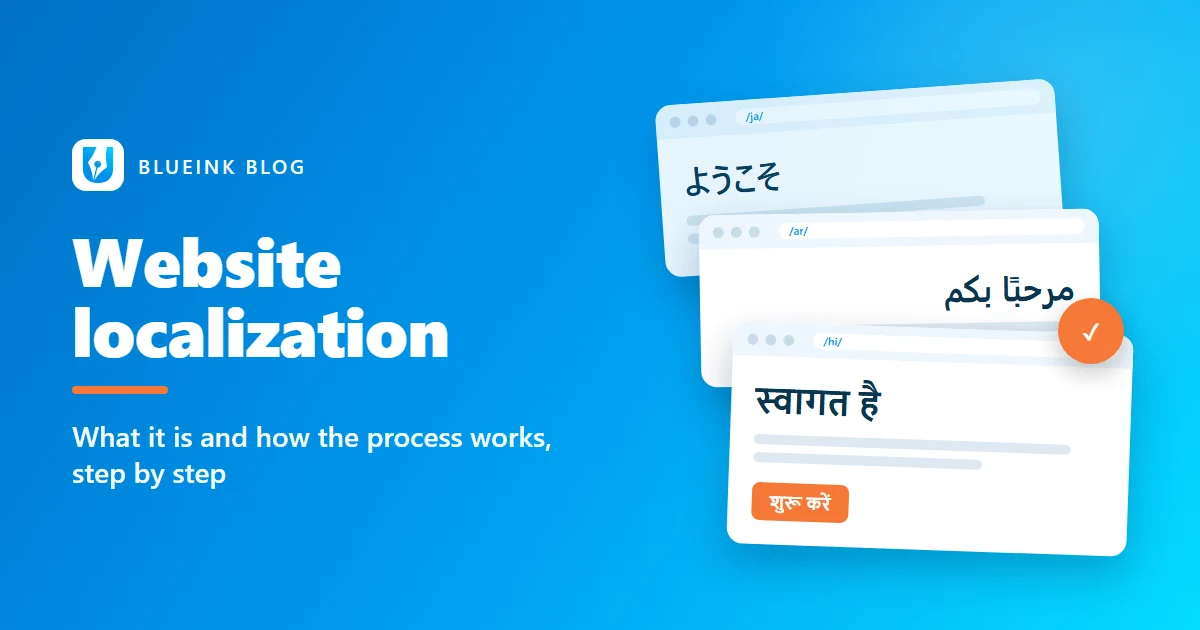
Your website is often the first conversation you have with a new market. If it reads like a translated manual, visitors notice quickly. Website localization fixes that by adapting the whole experience, not just the words, for each language and region.
This guide explains what website localization covers and how the process works, step by step. It also shows where AI helps and where a person has to sign off.
Key Takeaways
- Website localization adapts text, formats, images, layout and search metadata for a specific market, not just the language.
- The process runs in six stages: scope, prepare, translate and adapt, review, test, then launch and maintain.
- Google recommends a separate URL for each language version and warns against automatic redirects between them.
- AI can speed up volume work, but a qualified linguist should review and sign off every page that goes live.
What is website localization?
Website localization is the process of adapting a website so it feels written for a specific market. That covers its language, cultural references, formats and layout. The W3C defines localization as adapting content "to meet the language, cultural and other requirements of a specific target market (a locale)" (W3C Internationalization).
In practice, a localized site changes more than its sentences. Dates, currency, phone formats and images may all change. A Japanese visitor expects different conventions from a reader in Mumbai or Riyadh.
Translation is one part of that work. The table below shows the difference, and our guide to localization vs translation goes deeper.
| Aspect | Translation | Website localization |
|---|---|---|
| Main goal | Accurate meaning in another language | A site that feels local and gets a response |
| Scope | Text | Text, formats, images, layout, metadata, URLs |
| Example | "Get started" becomes "शुरू करें" in Hindi | The Hindi page also shows prices in rupees |
Why does website localization matter in 2026?
Website localization matters because much of the web is built in one language, while many of the people you want to reach read in others. According to W3Techs, English is used by 49.5% of websites whose content language it can identify, as of November 2026 (W3Techs).
India shows the gap clearly. The IAMAI and Kantar Internet in India 2024 report, released in January 2025, counted 886 million active internet users in 2024. It found that 98% of them accessed content in Indic languages. About 57% of urban internet users preferred regional-language content. These figures were reported by PTI (The Week) and the India Brand Equity Foundation (IBEF).
For a business, that is a question of reach. Our post on localizing for India beyond Hindi looks at regional languages in more detail.
What gets localized on a website?
Everything a visitor reads, clicks, fills in or sees in search results gets localized. Teams that plan only for page copy usually find gaps at launch, often in forms and search snippets. A typical scope covers:
- Page content: headings, body copy, calls to action and legal pages.
- Interface text: menus, buttons, form labels, error messages and emails.
- Images and media: text inside graphics, alt text and captions.
- Formats: dates, currency, units, addresses and phone numbers.
- Search metadata: page titles, meta descriptions, URLs and hreflang tags, the code that tells search engines which language version to show.
- Downloads: PDFs and brochures, often handled through document translation.
Formats catch many teams out, because the same string can mean different things:
| Item | United States | Elsewhere |
|---|---|---|
| Date 03/04/02 | MM/DD/YY: 4 March 2002 | DD/MM/YY in most of Europe: 3 April 2002. YY/MM/DD in Japan: 2 April 2003 |
| Number 123456789 | 123,456,789 | 12,34,56,789 in Hindi |
The date conventions come from the W3C. The Hindi grouping pattern comes from the Unicode Common Locale Data Repository, or CLDR.
How does the website localization process work?
Website localization works best as a planned six-stage process with a named owner from start to finish. First you scope the audience, markets and pages. Next you prepare the content and language assets. Native linguists then translate and adapt the content, and a second linguist reviews it. Testers check the localized site in each language. Finally, an expert signs off the launch and the site is maintained as it changes. This is how we run website projects, and a person signs off every one.
Step 1: What happens when you scope a localization project?
Scoping decides who the site is for and what it must achieve in each market. We start with the audience, the target markets and languages, and the business goal. That goal might be sign-ups in Tamil Nadu or enquiries from Japan. Then we agree the content scope: pages, interface text, forms, images and metadata. Scope also drives cost and timing, together with the number of languages and how much approved text can be reused.
Good scoping also flags what can wait. A product catalogue might launch in Hindi and Tamil first, with the blog following later. Scoping is also where you decide which campaign lines need transcreation rather than direct translation. Slogans often need a fresh line written for the market.
Step 2: How is website content prepared for translation?
Preparation turns your website into clean, translatable files and sets up the language assets. We extract the text using exports or XLIFF files, a standard exchange format for translation, where they suit the site. That keeps code and layout out of the translators' way.
We also set up a translation memory, which stores approved sentences for consistent reuse. A glossary fixes how product names and key terms appear in every language.
This is also when the site's internationalization gets checked, meaning whether pages can hold other languages without breaking. The W3C notes that translated text is often longer, and the shorter the source text, the larger the growth tends to be (W3C). Buttons and menus need room to grow.
Step 3: Who translates and adapts the content?
Native linguists with knowledge of your industry translate and adapt the content. A healthcare portal needs a linguist who knows medical terminology, and a gaming site needs one who knows how players talk. Linguists work in computer-assisted translation (CAT) tools, connected to the translation memory and glossary.
Adapting goes beyond the words. A linguist might change an example, a unit or an idiom that would confuse local readers. For an Arabic site, the layout changes direction too. The W3C recommends adding dir="rtl" to the html tag when a page reads right to left (W3C).
Step 4: How is translation quality reviewed?
A second linguist reviews every translation before it goes anywhere near your site. The reviewer checks accuracy, terminology, tone and cultural fit against the source and the glossary. Our in-house QA team then runs its own checks before anything reaches you.
Two sets of eyes matter because a fluent translation can still be wrong. A misplaced decimal or an off-brand tone can slip past one person. Some teams also score quality with a structured framework. Our guide to what MQM is explains how error-based scoring works.
Step 5: What is localization testing?
Localization testing checks the finished site in each language, on real pages, before launch. Text that looked right in a file can break once it sits in the layout. Testers look for:
- Overflowing or truncated text in buttons, menus and banners.
- Wrong date, currency, number and unit formats.
- Broken links, or pages still pointing to the English version.
- Forms that reject local names, addresses or phone numbers.
- Right-to-left layouts with icons or punctuation in the wrong place.
Each page should also declare its language, and the W3C advises a language attribute on the html tag (W3C). Test on mobile too, since narrow screens show truncation first.
Step 6: What happens at launch and afterwards?
At launch, a named expert owns the delivery, makes final adjustments and signs off. Search setup matters here. Google recommends different URLs for each language version. It also advises site owners to "avoid automatically redirecting users from one language version of a site to a different language version" (Google Search Central).
Language versions should be linked with hreflang tags. Google notes that "if two pages don't both point to each other, the tags will be ignored" (Google Search Central). Our website localization SEO checklist covers this setup in full.
After launch, the translation memory and glossary stay your assets. Reusing them lowers the cost of later updates and keeps every language consistent.
Where does AI fit in website localization?
AI fits where speed and consistency matter, while a person owns accuracy and sign-off. We use AI and technology only where they add speed or consistency, such as suggesting translation-memory matches or flagging inconsistent terms. A qualified linguist still decides what goes live.
A machine can produce fluent text that is wrong for the market, the brand or the regulation. Website content carries real risk: prices, legal terms, product claims and medical information. Those need a human who understands the context and takes responsibility for the result.
A practical split looks like this. AI can help with high-volume, low-risk text, such as large product catalogues, with full human review. Brand messaging, legal pages and regulated content need human translation and sign-off from the start.
Frequently asked questions
Is website localization the same as translation?
No. Translation converts text from one language into another. Website localization includes translation, but it also adapts formats, images, layout, links and search metadata for a specific market. A translated page can be accurate and still feel foreign to the people reading it. A localized page uses local currency, dates and phrasing, so visitors trust it and act on it. Most projects need both: precise translation for product and legal content, and wider adaptation for everything a visitor sees and uses.
Do I need to localize my whole website?
Not always. Many businesses start with the pages that matter most for revenue and support. These are usually the homepage, key service pages, pricing, checkout or contact forms, and help content. Blogs and archives can follow once you see results. What matters is that each localized page works fully in its language. Google advises against translating only the menus and other boilerplate while leaving the main content in another language (Google Search Central). It is better to choose fewer pages and localize each one completely.
Is machine translation enough for a website?
Not on its own. Machine translation can produce a quick draft, but it does not check whether a phrase suits your brand or meets local rules. It can't tell whether visitors will understand it. Raw machine output can mistranslate product names, legal terms and calls to action. For a public website, a qualified linguist should review and correct any machine draft before it goes live. Regulated or legal content should be translated and signed off by a person from the start.
What should you do next?
Start with one market and a short list of high-value pages. Agree the goal, build a glossary and plan time for review and testing before launch. That gets a first language live quickly, without the rework that comes from skipping steps. If you work in a regulated industry, bring your compliance team in at the scoping stage. Then add pages and languages as the results come in.
Blueink offers website localization in all major Indian and global languages, reviewed and signed off by people. Get an instant quote at blueinki.com.
Sources
- W3C Internationalization, Localization vs. Internationalization
- W3C Internationalization, Text size in translation
- W3C Internationalization, Date formats
- W3C Internationalization, Structural markup and right-to-left text in HTML
- W3C Internationalization, Declaring language in HTML
- Unicode, UTS #35: Unicode Locale Data Markup Language, Part 3: Numbers
- W3Techs, Usage statistics of content languages for websites, November 2026
- PTI via The Week, IAMAI internet usage report, 16 January 2025
- IBEF, India's internet users to exceed 900 million in 2025, driven by Indic languages, 17 January 2025
- Google Search Central, Managing multi-regional and multilingual sites
- Google Search Central, Tell Google about localized versions of your page
Need help with website localization?
Tell us about your project and we will send a free, no-obligation quote.
More from the blog
What is Translation API and why many companies are using it?
In today’s global economy, businesses are constantly interacting with clients and customers from different regions, cultures, and languages.

Revolutionizing Localization: Trends and Technologies Transforming the Industry
The localization industry is constantly evolving, with translation agencies adopting new technologies to reduce costs and improve accuracy.

Language Models in Localization
Have you ever wondered how Google Translate can translate sentences in a way that makes sense most of the time?